


4 Things You Need To Know About Our New Website Updates
You may have noticed our website looks a lot different to one you are used to. We always try to improve our website so it gives you an easy and seamless online shopping experience. Below are 5 things you need to know about the new website changes so you can get the most out of your shopping experience.
New look & feel of the front end store
Desktop Version
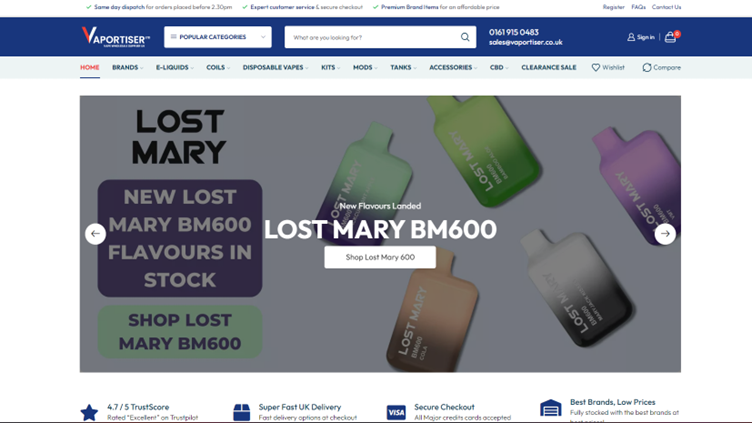
The desktop version of Vaportiser introduces a newer, distinct colour scheme with a new logo. There are multiple navigation menus to help you seamlessly navigate the site with ease and find exactly what you need.
Mobile Version
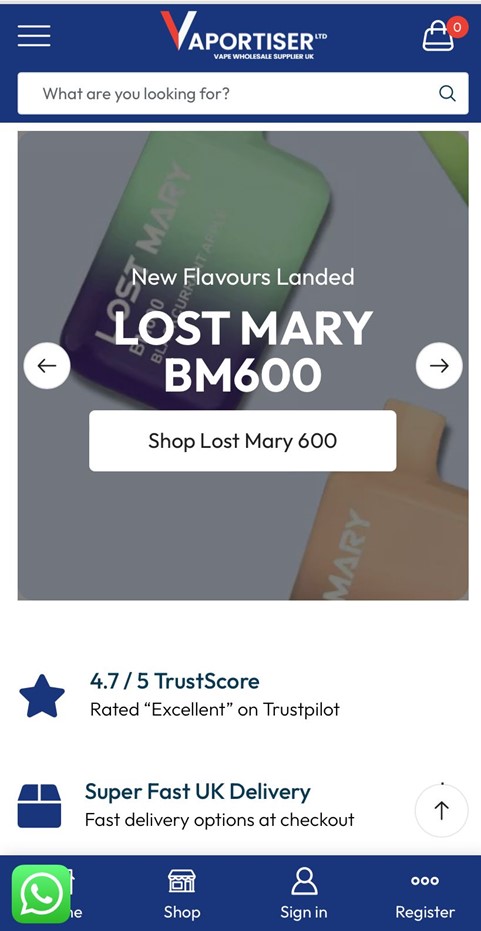
The mobile version of Vaportiser offers a simpler but sleeker interface with a cool menu at the bottom of the homepage which will be visible on each page of the site so you can easily access your account, the shop, homepage or even register for a wholesale account. Your shopping cart is located in the top right corner and the menu tab is on the left with a powerful search engine box to find exactly what you need.
Supercharged Search Engine
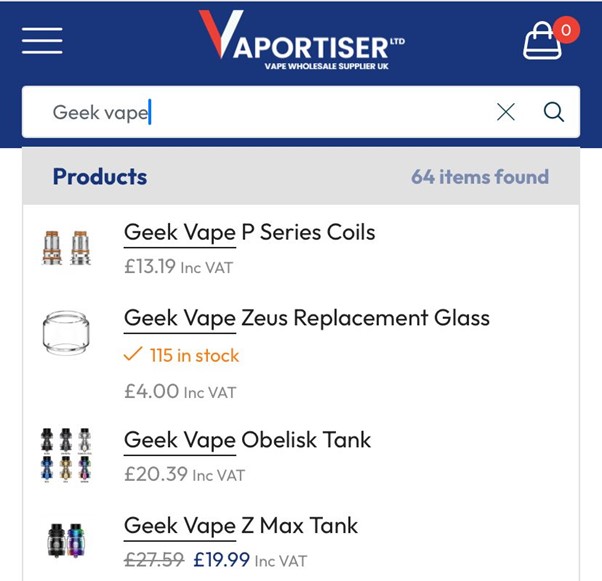
We’ve added a new, supercharged search function to make it easier for you to find what your looking for, FAST. Our new & improved search function will show you the item, price & stock levels at the time of search; How cool is that! Our clever new search function will pick up on generic and specific queries. You can search your favourite brand, product and nicotine desired nicotine strength if required.
Newly added Frequently Asked Question Pages
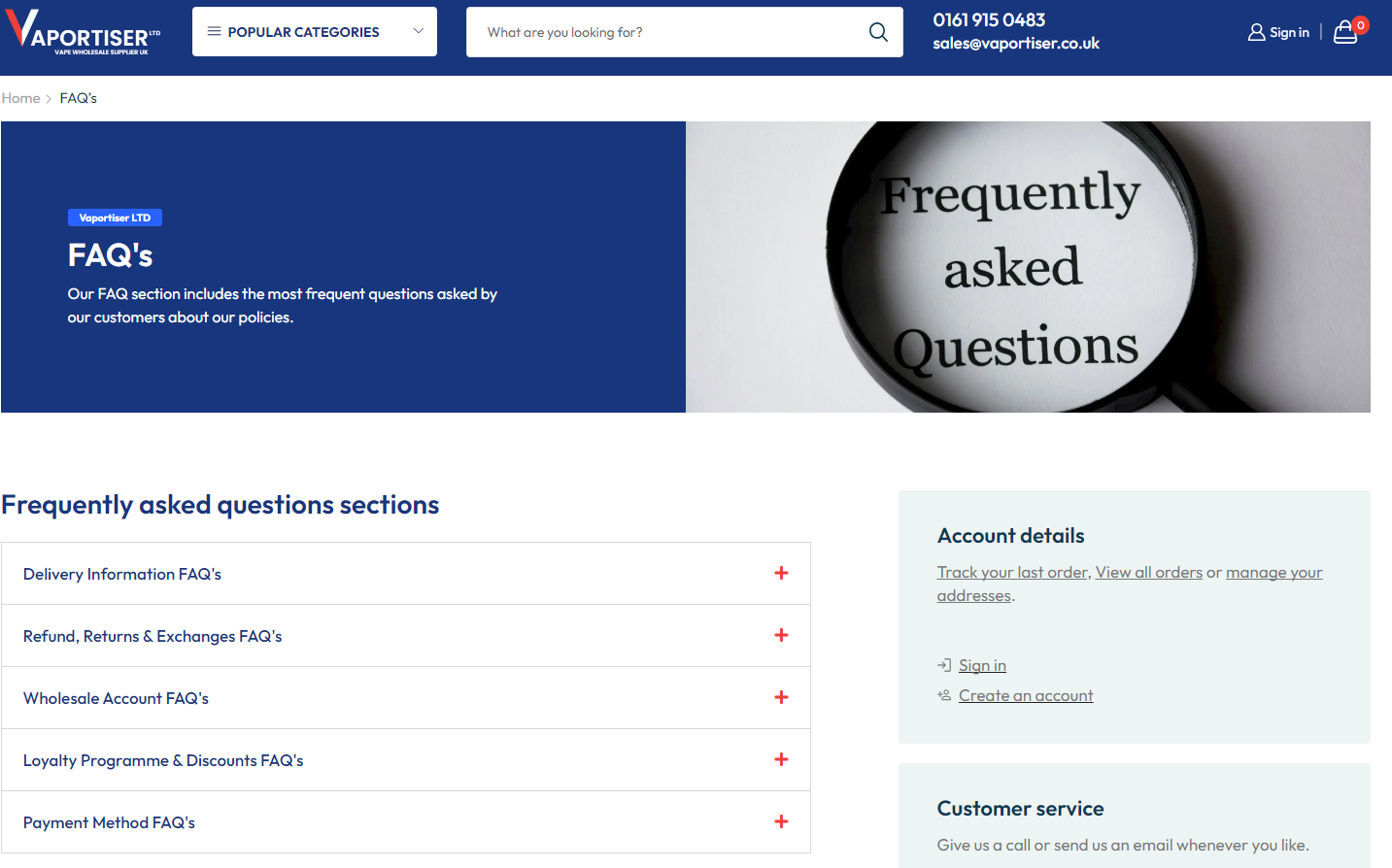
We’ve collected frequently asked questions over the years and put the answers on our newly added FAQ pages. We like to answer your questions the best we can. The newly added FAQ sections are:
- Delivery Information FAQ’s
- Refund, Returns, Exchanges FAQ’s
- Wholesale Account FAQ’s
- Loyalty Programme & Discounts FAQ’s
- Payment Method FAQ’s
You can still contact us any time you wish. We thought we would save you some time to find answers to the the frequently asked questions promptly. Our FAQ page is here.
New Wishlist & Compare Function
Desktop Version
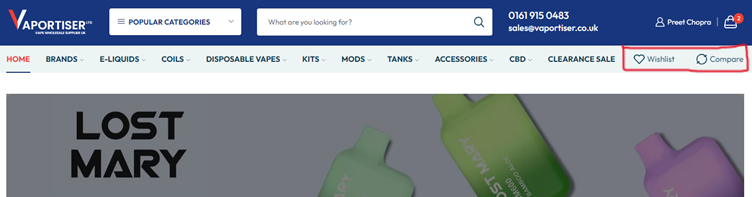
We’ve added the ‘Wishlist’ function so you can casually browse the website and add things into your Wishlist to purchase at a later date. The ‘Compare’ feature is also next to the ‘Wishlist’ button on desktop.
Wishlist Page Desktop
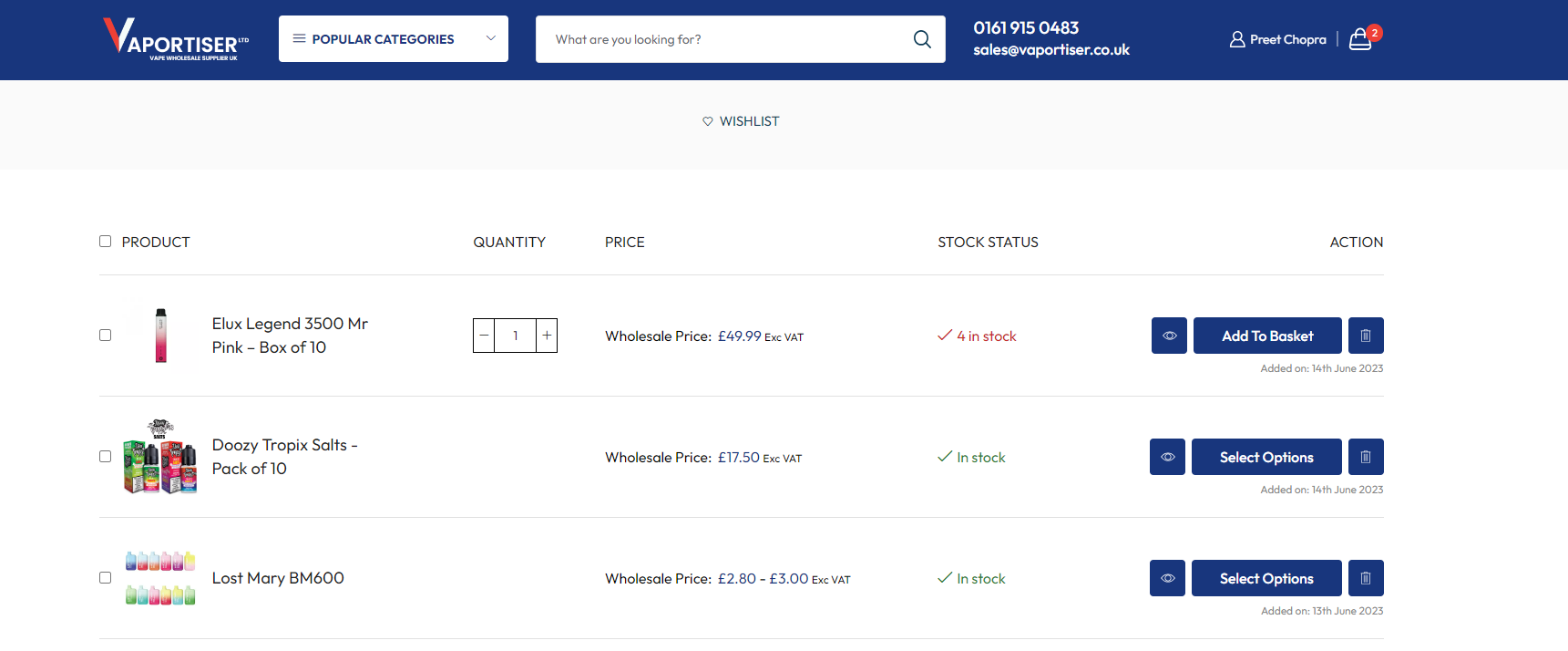
The built-in Wishlist page will show you the product you added into your Wishlist, the current price of the product, stock levels and allow you to quickly add to your basket. You can also remove any item you wish from the Wishlist
Compare Page Desktop

The Newly added ‘compare’ page is an awesome feature we have integrated onto the website to make decision making a lot easier. Each product and product page will have a ‘compare’ button in shape of a circle with arrows. simply click the button and it will then add it to the compare section. You can compare as many products as you wish. The elements you can compare are images, title, quantity, price, brief description & stock levels.
Mobile Version
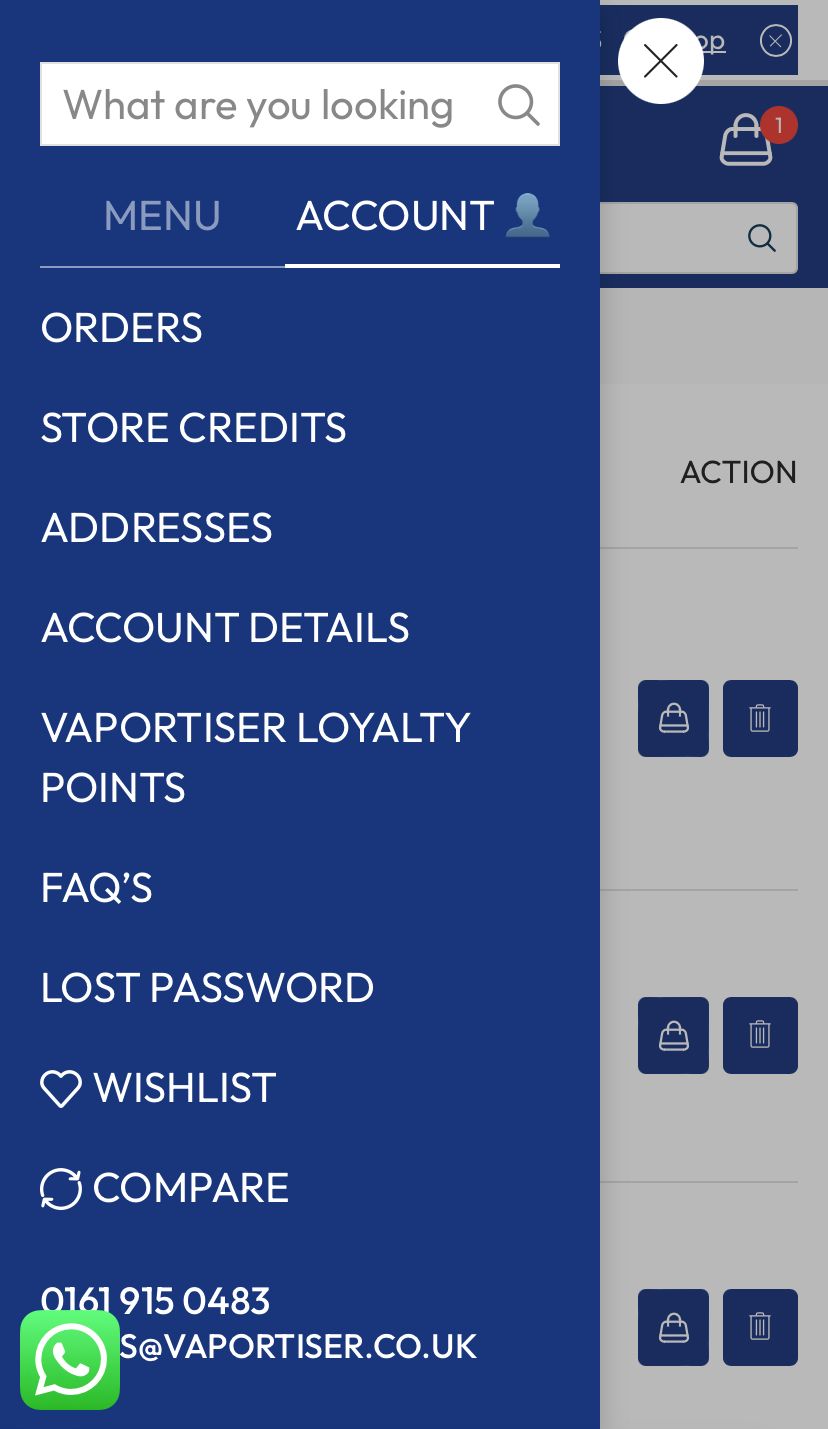
On mobile devices, You can find the Wishlist feature if you select the menu icon, select ‘ACCOUNT’ and scroll to the bottom of the menu. The ‘Compare’ button is just below the ‘Wishlist’ button.
Wishlist Page Mobile
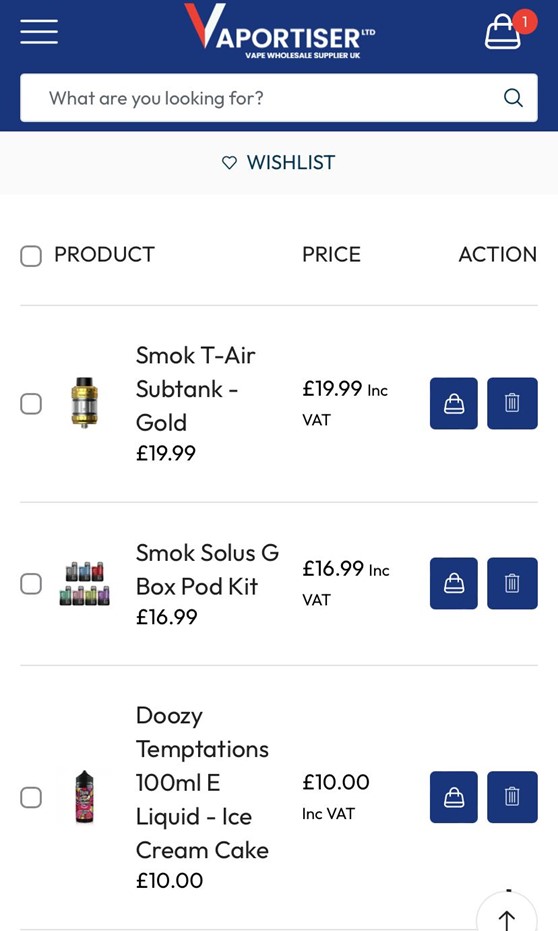
On the mobile version of the Wishlist, you can see the product, price and add or remove from your basket
Compare Page Mobile
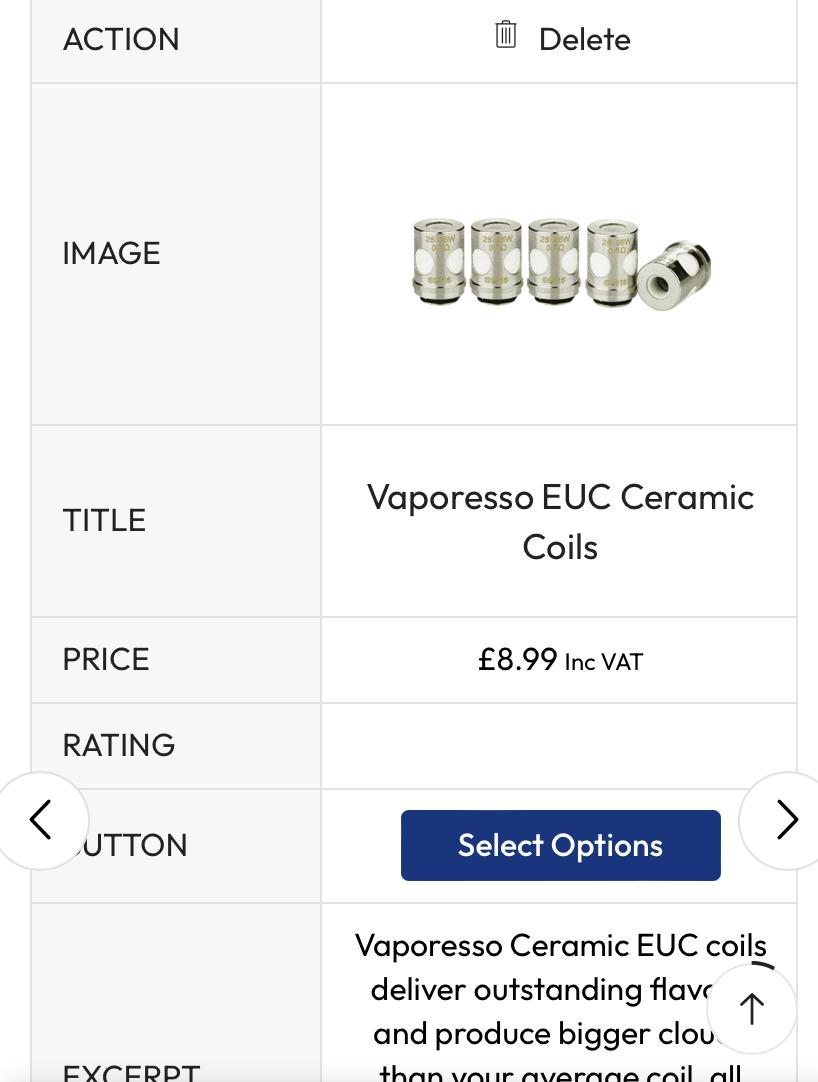
The ‘Compare’ page will look different on mobile simply because of the screen size difference between the desktop version. When you are on the compare page, you can scroll left or right to see you chosen products you selected to be compared. We recommend using the desktop version of the compare feature to give you the best experience.
Final thoughts
We’ve spoken about the 4 main features with the new website updates however you may find tons more as you are browsing. We are always open to suggestion to improving our website for our visitors. If you have any suggestions or questions, please contact us here.







Add comment